Complete Explanations
This page details complete explanations. A complete contains a contrastive explanation but also calculates the extra pixels required to match the original confidence of the model on an image.
From the command line, the basic call is
ReX <image> --script <script.py> --complete
Example
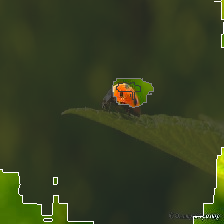
This example is a ladybird

The inner highlighted pixels (in dark grey) are the sufficient pixels for ladybird. Surrounding these pixels (in light grey) is the contrastive explanation for ladybird. Removing just these pixels is enough to change the classification.
Is the contrastive explanation complete? The ResNet50 model had 0.4522 confidence on this image. The contrastive explanation has 0.488 confidence! Having just those pixels highlighted with light grey makes the model more confidence than on the entire image. So, what pixels “adjust” the confidence down? We call these the adjustment pixels, and they are highlighted in white. The adjustment pixels drag the confidence down by 0.03. By themselves, they are classified as “bell pepper” with a confidence 0.08.
Uniqueness
Complete explanations are not unique: there may be many different ways to calculate the adjustment set.
ReX <image> --script <script.py> --complete --iters 50